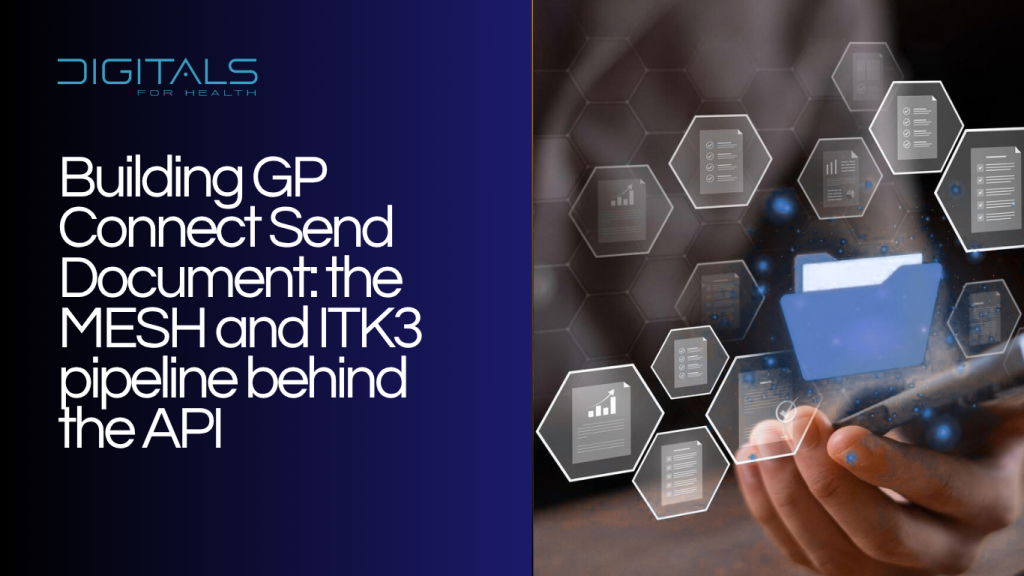
GP Connect Send Document is the national route for getting a consultation summary from a point-of-care system into a patient's registered GP practice, reliably, auditably, and without a person manually looking up which mailbox the practice uses. A clinician in an out-of-hours service, an urgent treatment centre, or an extended access hub generates a summary, and the patient's own GP receives it as part of their normal workflow. The API itself is a comparatively small piece of this. The engineering sits in the message pipeline underneath it, FHIR messaging, ITK3 conventions, and MESH as the transport, and in building a sender that behaves correctly when part of that pipeline fails.
What Send Document does
The capability is built for one specific scenario: a clinical system, acting on behalf of a clinician, sending a document, typically a PDF, to a patient's registered GP system for direct care. It is production status, and it is not a general document transport, it is scoped to consultation summaries reaching the registered practice, using HL7 FHIR STU3 messaging with ITK3 conventions delivered over MESH.
Because it rides on MESH, it inherits MESH's operational profile: continuous availability with business-hours support. That gap between availability and support matters for any team planning out-of-hours activity, since a failure at two in the morning has to be handled by the sender's own retry logic, not by NHS support picking up the phone.
The message itself
A Send Document message is a FHIR Bundle of type message, built from four parts. A MessageHeader carries the event, source, destination, and acknowledgement preferences. A Composition holds the clinical summary structure itself, sections, authorship, and encounter context. Canonical references to Patient, Practitioner, and Organisation let the receiving system anchor the document to the correct record and participants. A Binary or Attachment element carries the actual document, base64-encoded, application/pdf in the normal case, though the specification allows for other MIME types.
The narrative text inside the Composition has to accurately reflect what the attachment contains. A receiving system may index or display the Composition separately from the PDF itself, and a mismatch between the two is a genuine safety risk, not a cosmetic inconsistency, since a clinician triaging the inbound message may be reading the narrative summary rather than opening the attachment first.
Routing without an address book
MESH behaves as a secured, centrally hosted delivery service. Senders drop a message off, receivers collect from their own mailbox, and the part worth building carefully is that a sender does not need to know the destination mailbox explicitly. Supplying the patient's NHS number, date of birth, and surname in the routing fields lets MESH resolve the message to the correct registered practice automatically, following the pattern GPPROVIDER_NHS number_date_surname in the routing header. That routing convention has to be built exactly as specified, since a malformed field does not fail loudly, it simply routes incorrectly or not at all.
Each use case is also bound to a specific workflow identifier, GPFED_CONSULT_REPORT for the consultation report itself and GPFED_CONSULT_REPORT_ACK for the corresponding acknowledgement. Getting these wrong means the message arrives but is never recognised as a Send Document submission, which tends to surface as a confusing silence rather than a clear error.
What has to be in place before building starts
PDS capability comes first, since confirming the registered practice, either through PDS FHIR directly or through a compliant third-party provider, is what gives the routing fields above any confidence. MESH access, via the MESH API or the MESH Client, needs to be secured alongside ITK3 alignment for message conventions. Because this is an application-restricted API, the sending system owns user authentication and authorisation entirely, which means a documented role-based access control model has to exist before the first message is sent, not as an afterthought once the pipeline works technically.
Clinical safety work runs alongside all of this. A named Clinical Safety Officer, DCB0129 compliance, and DCB0160 where applicable, need hazard logs and risk controls that reflect how the pipeline fails, not just how it succeeds. The Path-to-Live environment exists to validate message structure, headers, workflow identifiers, acknowledgements, and binary handling before any of this reaches live traffic, and a use case submission covering the clinical scenario, legal basis, and proposed data flows is part of onboarding rather than a formality that follows it.
Versioning, updates, and handling failure
Clinical documents change. A spelling correction, a later result, an amended note, all mean re-sending the same document with an incremented version number rather than treating each submission as unrelated to the last. A sender needs to maintain its own linkage between a local document identifier, the MESH submission, and the version number, so a later correction is traceable rather than appearing as an unrelated new document. Idempotency matters here specifically because a transmission can fail after leaving the sender but before confirmed receipt, and a safe retry should not create a duplicate artefact in the receiving practice's workflow.
Acknowledgements come in two kinds, and a sender has to handle them differently. An infrastructure-level negative acknowledgement usually points to a schema or profile violation, a missing header, or a transport failure, and the fix is technical and can typically be resubmitted once corrected. A business-level negative acknowledgement means the message arrived and was processed, but rejected on a business rule, most often a failure to match the patient, and that usually needs a person to look at it rather than an automatic retry. Logging both types with enough detail to support operational review, and building a dashboard that shows message state and recommended next action, is what turns a silent failure into something a support team can act on.
How this compares to other NHS document exchange routes
| Approach | What it is for | What differs in practice |
|---|---|---|
| GP Connect Send Document | Delivering a consultation summary from a point-of-care system into a patient's registered GP practice | Structured FHIR messaging over MESH with automated routing by NHS number, date of birth, and surname, purpose-built for direct care |
| MESH on its own | General secure message transport between NHS organisations | The underlying transport for Send Document and much else, but without automated GP routing unless the specific conventions above are applied |
| NHS e-Referral Service attachments | Supporting documents attached to a referral | Scoped to the referral workflow itself, documents live inside e-RS rather than being delivered directly into the GP clinical system |
| Direct API integration with a GP system supplier | Reading or writing specific structured data inside a GP system | Offers finer-grained data access, but requires supplier-specific work and its own governance approval, and is not built for sending a standalone document |
The choice is rarely close once the use case is a consultation summary reaching a registered practice. Send Document is the purpose-built route for exactly that, and the other approaches exist for genuinely different problems rather than as alternative ways to solve the same one.
Running it once it is live
Security responsibility sits with the sending system, since this is an application-restricted API with no user authentication handled by the API itself. Least privilege access, so only a clinician with a legitimate relationship to the patient can generate and send a summary, and full audit logging of who sent what, for which patient, under which role, are baseline requirements rather than enhancements. Metadata needs sanitising before it reaches logs, since a raw routing value contains an NHS number and should never land in an unsecured log file.
Resilience is the sender's responsibility during the hours MESH is available but unsupported. Exponential back-off, dead-letter handling for failures that cannot recover automatically, and time-bounded retries prevent a practice from receiving a batch of stale documents days after an outage rather than a clean, current one. Because not every GP system rolls this capability out at the same pace, monitoring supplier adoption and being willing to adjust how documents are packaged or presented for specific receivers is a practical necessity, not an edge case.
Observability earns its place from day one rather than being added after the first incident. Submission and acknowledgement rates, negative acknowledgement categories, queue depth and time-to-acknowledge, and the proportion of messages successfully using automated routing versus falling back to manual handling, all belong on a dashboard that clinical safety and operations teams can use, not buried in logs nobody reads until something breaks.
Legacy ERP integration on Azure
The architecture underneath Send Document, message queues, retries, dead-letter handling for failures, and idempotent delivery so a retry never creates a duplicate, is the same architecture we built for a UK healthcare services provider integrating a legacy ERP on Microsoft Azure. Azure Service Bus queues decoupled producers and consumers with retries and dead-letter handling for failures, and an idempotent write-back service used an outbox pattern specifically to prevent the partial or duplicate updates that a naive retry strategy produces. The problem was not GP Connect, but the shape of the problem, reliable delivery of clinically significant data with a full audit trail behind every step, was the same one Send Document asks a sender to solve.
Read the full case studyIf you are building the sender side of a document delivery pipeline, whether that is Send Document specifically or another MESH-based integration with the same reliability and audit demands, that is engineering work we take on end to end.
Get in touch